How to Choose an Attendance Machine: Fingerprint, Face, Card or Kiosk
The right terminal is decided by the hands of the people using it and the room it hangs in — not by the spec sheet.
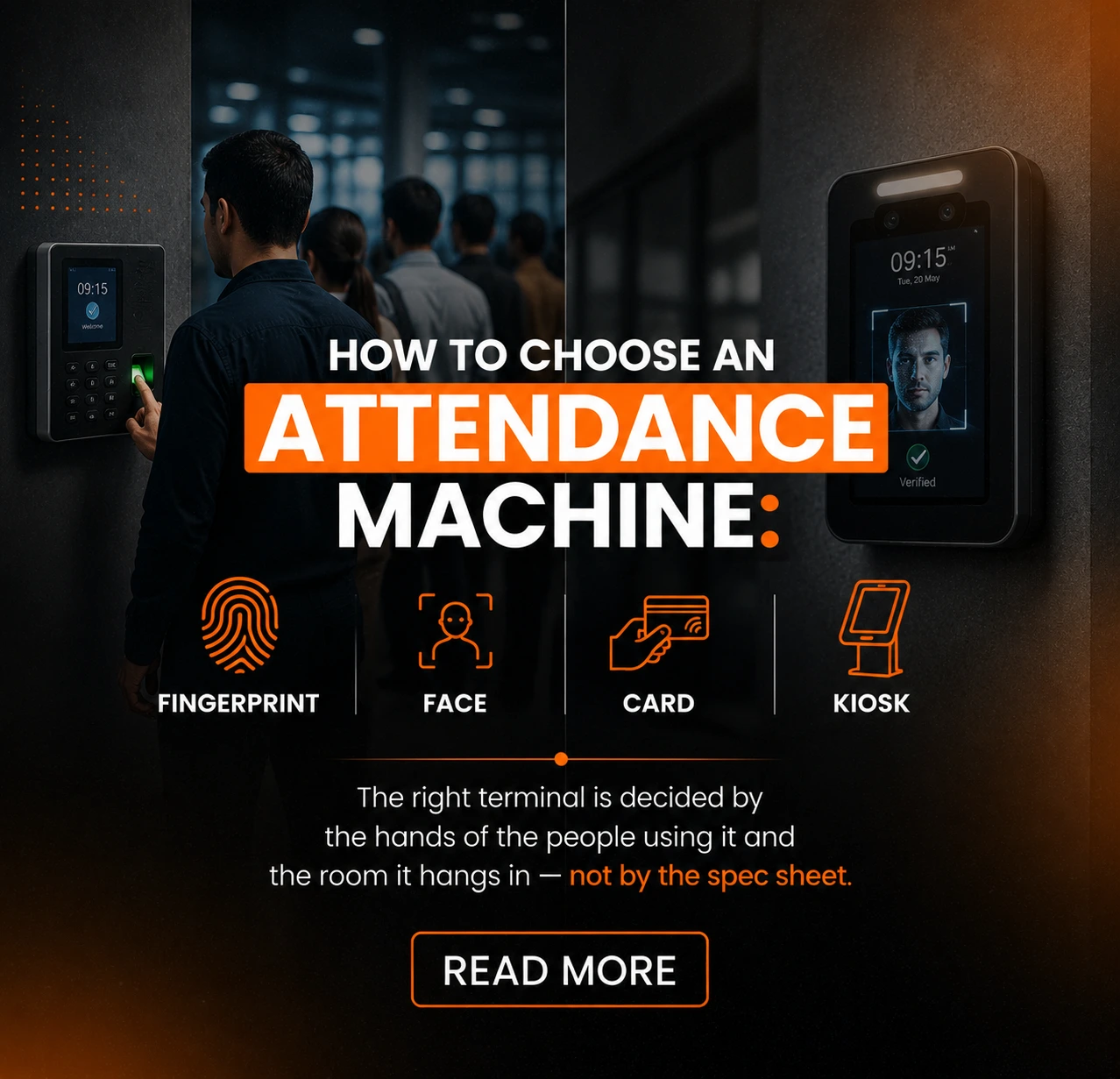
Fingerprint readers fail on worn or wet fingertips — the normal condition of hands in manufacturing, construction and food handling. Face units struggle against direct sunlight. Cards get shared. Every one of those is a site condition, not a product defect, and none appears on a datasheet.
The short version
- A share of any manual workforce cannot be enrolled on a fingerprint reader at all. Plan the fallback before rollout.
- Face works where fingers do not, but mount it away from backlight or it fails every morning.
- Cards are the right answer more often than vendors admit — if buddy punching is not a real risk, biometrics solve a problem you do not have.
- For field teams with no fixed entrance, the answer is no machine at all.
- Size against the peak minute, and add a spare unit.
The four questions that decide it
Answer these before looking at a single product page.
1. Who is clocking in? Office staff, a factory floor, a construction site, a field team with no fixed premises. This decides more than any other factor, because it decides the condition of the hands and the environment around the sensor. An office attendance machine and one mounted at a foundry gate are solving visibly different problems.
2. How many people in the peak minute? Not per day. A 300-person shift change compresses into a few minutes, and a terminal that takes three seconds per person becomes a queue that eats into paid time.
3. What does the environment do to the sensor? Dust, moisture, direct sunlight, temperature, gloves, helmets, masks. Each of these rules out at least one technology, and the site visit that establishes them is worth more than any comparison table.
4. Is buddy punching a real risk here? Be honest. In a 25-person office where everyone can see the door, it is close to zero and paying for biometrics to prevent it is money spent on the wrong problem. On a 400-person site with contract labour and shift premiums, it is the whole reason to invest.
Those four answers narrow the field faster than any feature comparison, because they rule technologies out rather than ranking them. A time and attendance machine that is wrong for the population fails on day one and keeps failing; one that is merely unexciting works for a decade.
| Technology | Proves identity? | Speed | Main weakness | Best for |
|---|---|---|---|---|
| Fingerprint | Yes | Good | Enrolment fails on worn or wet hands | Office and admin populations |
| Face | Yes | Very good | Backlight, masks and helmets | Manual sites where hands are the problem |
| RFID card | No | Fastest | Cards get shared and lost | High throughput, contractors, visitors |
| ESS kiosk | Depends on reader | Slowest | Cost and floor space | Workforces with no company email |
| Mobile / geofenced | Partially | n/a | Location accuracy, monitoring concerns | Field teams with no fixed entrance |
Fingerprint terminals
The most widely deployed option, and for indoor office and admin populations it is usually the right one. Fast, well understood, cheap per unit, and it proves the person rather than the credential.
The limit nobody warns you about is enrolment. A proportion of any manual workforce cannot be reliably enrolled at all. Fingertips worn smooth by abrasive work, chemical exposure, or simply age produce ridge detail too shallow for the sensor.
Moisture and dust degrade reads further. This is not a faulty unit and it is not solved by buying a better one — it is a property of the population.
The practical consequence is that a fingerprint-only deployment on a manual site needs a defined fallback for the people it cannot enrol, decided before rollout rather than improvised afterwards. A fallback that amounts to "the supervisor writes it down" quietly reintroduces every problem the system was bought to fix.
Where hands are clean and the population is office-based, none of this bites, and finger print terminals remain the best value in the category. A fingerprint time attendance terminal is also the cheapest way to prove identity rather than possession, which is the entire argument for biometrics in the first place.
Face recognition terminals
Contactless, fast once tuned, and it works on exactly the population that defeats fingerprint readers. On sites where hands are the problem, this is usually the answer.
Lighting is the constraint. Strong backlight is the classic failure — a unit mounted facing a glass entrance spends the morning looking into the sun and its match rate collapses for a couple of hours a day.
This is a mounting problem rather than a hardware problem, and it is entirely avoidable if it is considered before the position is fixed.
Masks, helmets and safety glasses reduce accuracy to varying degrees depending on the unit and how it was enrolled. Where PPE is mandatory at the point of entry, test with the PPE on before committing.
Face templates are also biometric personal data, which carries governance obligations that a card number does not — see the section below. Face recognition devices covers the deployment detail.
Note that the same unit is frequently sold as a face recognition access control terminal when it is mounted on a door rather than used purely for time capture; it is the same hardware doing a different job, and one device can usually do both.
RFID card readers
The cheapest per user, the fastest at the door, and the only technology here that cannot prove who presented the credential.
That last point is usually presented as a disqualifier. It is not, it is a trade — and for a large number of sites it is the correct one.
If your honest answer to question 4 was that buddy punching is not a real risk, then you are paying a premium for biometrics to solve a problem you do not have, and a card gives you better throughput and simpler enrolment for less money.
Cards also handle the cases biometrics handle badly: contractors and visitors who need access for a day, workers wearing gloves, and anyone the biometric sensor cannot enrol. Even on biometric sites, cards frequently remain as the fallback tier.
The failure modes are lost cards, shared cards, and the administrative load of issuing and revoking them. All three are manageable with a decent issuance process; none is manageable without one. Detail on proximity card readers.
Self-service kiosks
A kiosk is the right category when the terminal is doing more than recording a punch. Payslips, leave balances and requests, roster checks, personal detail updates — things an employee without a company laptop otherwise has to queue at the HR desk to do.
The case for one is strongest where a large part of the workforce has no email address at work.
Every routine query that a kiosk absorbs is a query that was previously a phone call, a paper form, or a walk to an office in another building, and the time saved lands on the HR team rather than on the employee.
They cost more per unit than a punch terminal and need somewhere sensible to stand — enough space to use without blocking the flow of people clocking in, and preferably not in the same queue. Siting a kiosk in the clock-in line is a common mistake that makes both functions worse.
See ESS kiosks and employee self service kiosk for the functional detail.
Mobile and geofenced clock-in
The option that is not a time and attendance machine at all, and it belongs in this comparison because for some populations it is plainly the right answer.
Field engineers, sales teams, drivers and site supervisors who never pass a fixed entrance cannot be served by a terminal, and installing one for them is solving the wrong problem. Phone-based clock-in with a location boundary gives you the record without the hardware.
The honest limits: it depends on the employee having a suitable phone and being willing to use it for work, location accuracy varies considerably indoors and in dense urban areas, and it raises a monitoring question that deserves a straight answer to staff rather than a paragraph in a policy nobody reads.
Where a workforce is unionised or location tracking is contentious, settle that conversation before the technology.
Mixed deployments are normal: terminals at the fixed sites, mobile for the people who are never at one. That is not a compromise, it is matching the tool to the population.
Working out how many units you need
The arithmetic is the same as for entrance barriers, and it is done against the peak rather than the average.
Take the headcount at the entrance in question, work out what proportion arrives in the busiest minute, and divide by measured transaction time for the technology you have chosen.
Add a unit, because a single time and attendance machine out of service on a Monday morning is a queue and a set of manual exceptions someone has to reconcile.
We have not published transactions-per-minute figures here deliberately. Vendor throughput numbers are measured with cooperative, well-enrolled users who know exactly where to put their hand or face, and they do not survive contact with a real shift change.
Where a comparable installation exists, count it. Where one does not, run a pilot with fifty people before committing to a site-wide number.
Biometric data, stated responsibly
If you deploy fingerprint or face terminals you are processing biometric personal data, and that carries obligations a card number does not.
Two points of fact worth having straight. Modern terminals generally store a mathematical template derived from the biometric rather than an image of the finger or face, and a template cannot be reversed into the original in any practical sense.
That materially reduces the risk, and it is the honest thing to tell employees who ask. It does not make the template stop being personal data.
Worth telling employees plainly
Modern terminals store a mathematical template, not a photograph of a face or finger, and a template cannot practically be reversed into the original. That is the honest answer to the question staff actually ask — and it does not stop the template being personal data you are accountable for.
What follows from that is ordinary data-protection practice rather than anything exotic: tell people what is collected and why, keep it only while it is needed, delete it when someone leaves, restrict who can export it, and know where it is stored.
If you operate across Pakistan and the Gulf, check the requirement in each jurisdiction rather than assuming the strictest or the loosest applies everywhere.
One clarification, because the two get confused. This article and the TimeTrax website collect no biometric data of any kind — our privacy policy says so explicitly. Biometric data captured by a terminal on your site belongs to you as the employer, and you are the one accountable for it.
The machine is not the system
Every terminal here produces the same thing: a stream of timestamped events. On its own that is a log file, and a log file has never resolved an exception.
Every time and attendance machine in this article ends at the same place. What separates them is what happens to those events next.
What turns it into something useful is what happens next. A missed punch has to surface as an exception rather than as a silent gap. A late arrival has to be tested against the roster that person was actually on, not a default shift.
Overtime has to be calculated against a rule, approved by someone, and arrive in payroll without being re-keyed. An attendance machine with software behind it does that; an attendance machine alone hands you a spreadsheet and a monthly reconciliation.
This is why attendance machine software matters more than the enclosure it ships in. Two terminals with identical sensors produce completely different amounts of administrative work depending on whether the platform behind them can hold a roster, apply a rule and route an approval. The hardware is a sensor; the value is downstream.
This is also the reason the hardware decision should not be made in isolation. The question is not only which terminal reads fastest, but whether the events it produces reach the attendance management system in a form that can be acted on — and from there into payroll software and the workforce management software that plans the shifts in the first place.
Get that chain right and choosing a time and attendance machine becomes a straightforward matter of matching hardware to conditions. Get it wrong and the best terminal on the market still leaves someone reconciling attendance by hand on the last Friday of the month.
Terminals are the easy half of the decision. What decides whether attendance data is worth having is the layer that turns punches into rosters, exceptions and paid hours — which is what human capital management software is for.