Where the workforce has no device
Factory floors, warehouses and remote sites are the standard case. A shared terminal at the gate lets those employees check attendance, apply for leave and pull a payslip without walking to the HR office.
Give Every Employee Self-Service Without a Company Laptop
Let employees handle their own attendance, leave, canteen usage and disbursement — without a queue at the HR desk.
A kiosk is worth buying for the people your portal and mobile app do not reach. Start by counting them honestly.
An ESS kiosk is a shared screen that lets employees without a company laptop reach their own HR record. That is the whole purpose, and it also decides whether you need one: if everybody already has a phone or a desktop, ESS kiosks add cost without adding reach. What the kiosk reaches is the employee record held in the human capital management software; the hardware is a window onto that system, not a system of its own.
It shares its data most closely with Employee Self Service, Attendance Management System and Leave Management System. how an HRMS improves productivity takes the same question from the buyer’s side.
Factory floors, warehouses and remote sites are the standard case. A shared terminal at the gate lets those employees check attendance, apply for leave and pull a payslip without walking to the HR office.
A kiosk is only safe when the session belongs to an individual. Employees identify by biometric or card, see only their own record, and the session closes itself — otherwise a shared terminal quietly becomes a shared login.
ESS kiosks get used where people already stop: the gate, the canteen entrance, the shift-change point. A kiosk installed in a corridor nobody walks down is the most common way this spend is wasted.
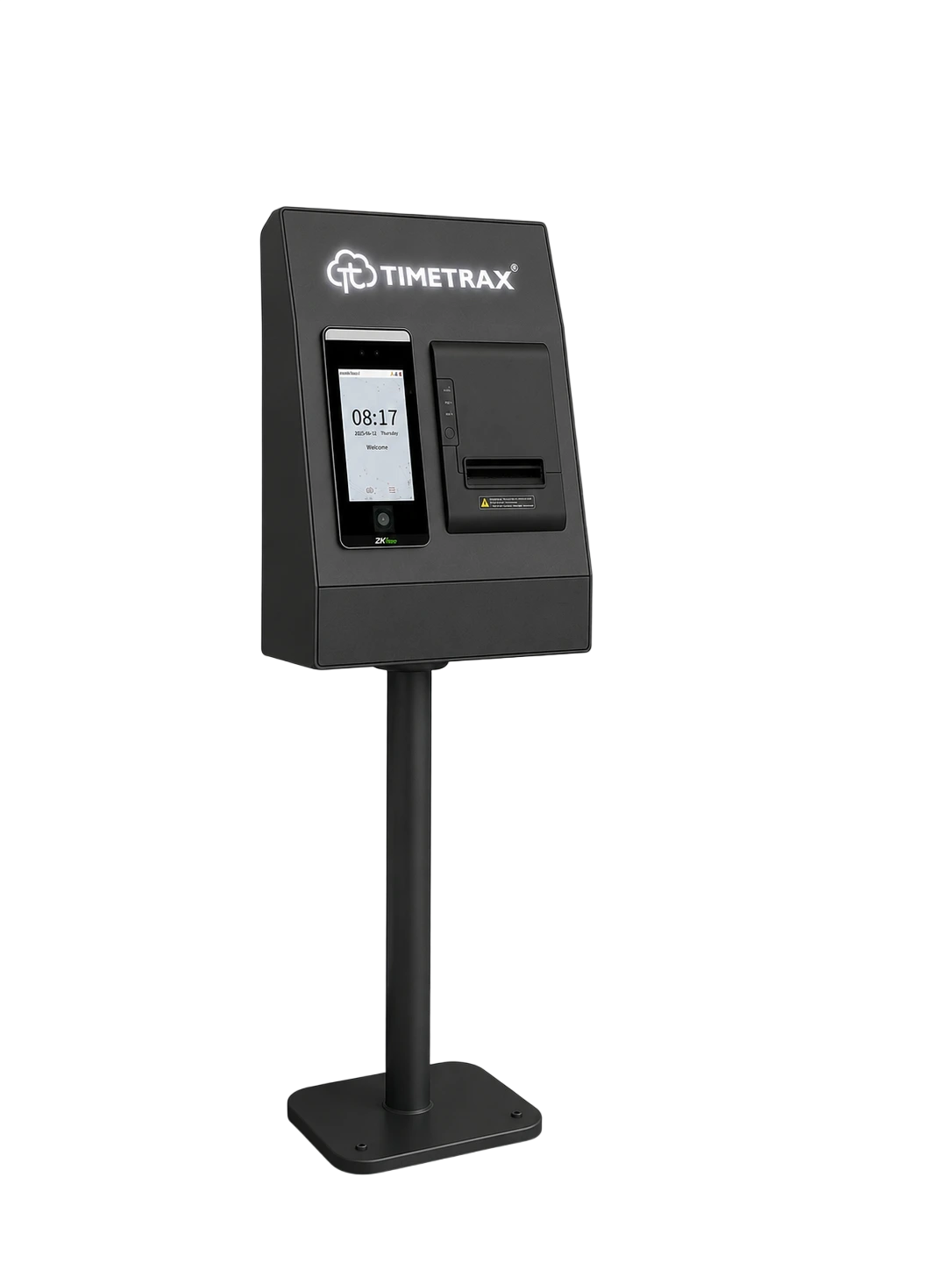
A floor-standing terminal for the canteen line. Employees are verified at the point of service, so meals reach the right person and every claim is recorded as it is issued.
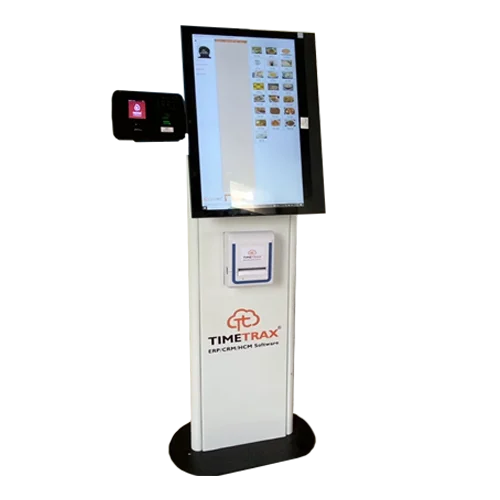
Dual mode biometric time and attendance terminal includes both a camera for facial recognition and a fingerprint capture device for versatile and secure biometric applications.
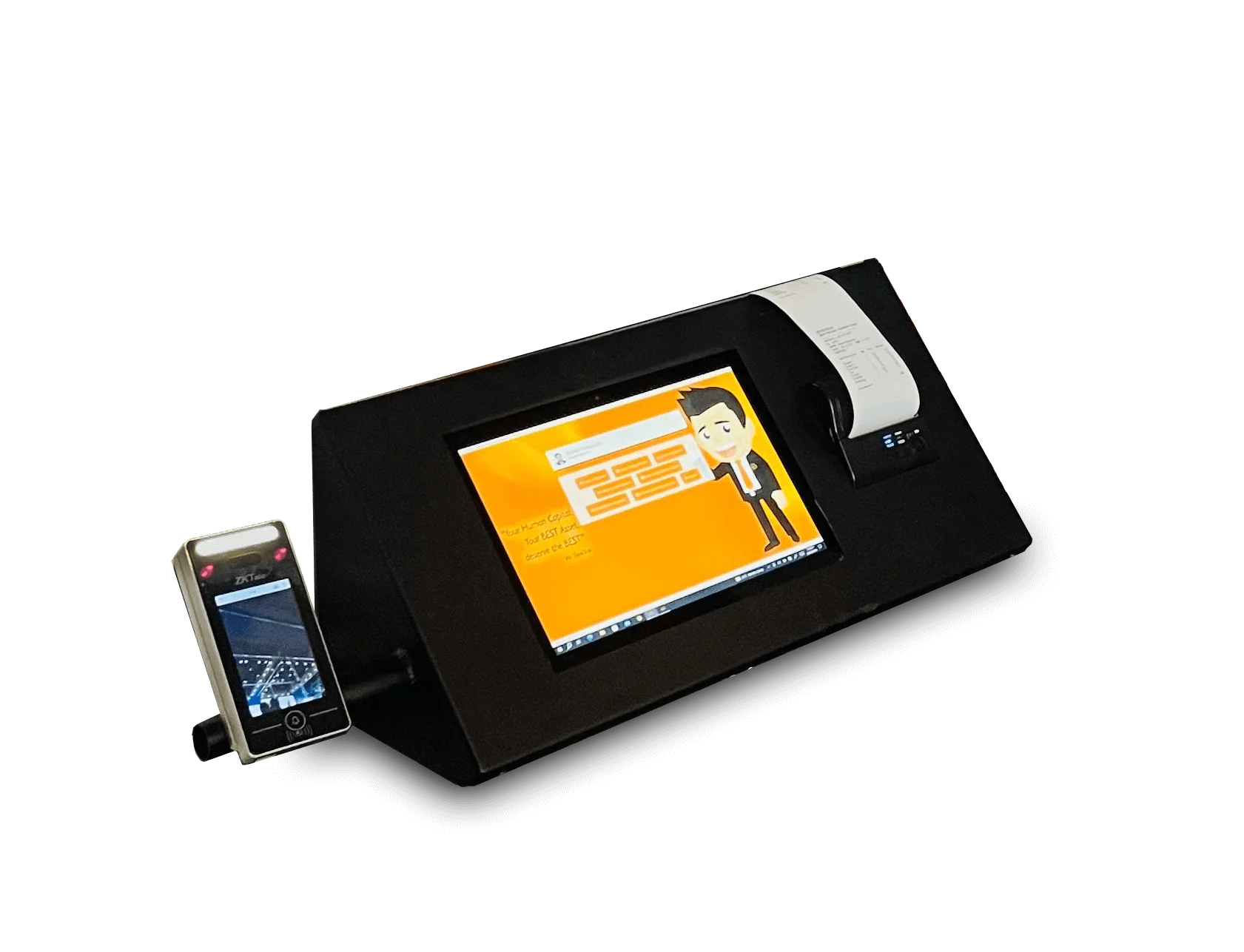
Dual mode biometric time and attendance terminal includes both a camera for facial recognition and a fingerprint capture device for versatile and secure biometric applications.
Capture method, headcount per door and connectivity all change the answer. Tell us how your sites run and we will recommend the right terminal — and show it feeding attendance into TimeTrax.