5 Ways an HRMS Boosts Employee Productivity
Cutting admin work is only the start. Five places where the right HRMS gives people their week back.
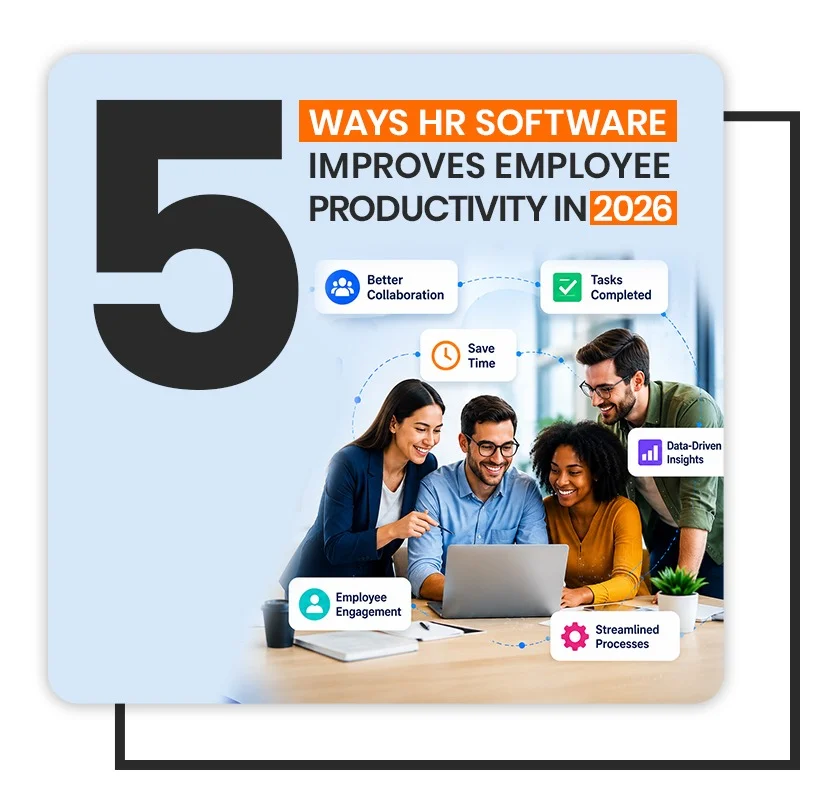
Productivity software has a credibility problem, and the HRMS category has it worse than most. The claim is usually some version of “save 40% of your time”, with no explanation of whose time or on what. So here is the narrower, more defensible version: there are five specific places where an HRMS gives hours back, and all five are measurable.
None of them are about working harder. They are about removing work that only exists because the process is manual.
1. It removes the administrative tax on ordinary requests
Consider what it costs an organisation when someone wants to take three days off. They ask a colleague what the process is. They find a form, or email their manager. The manager forwards it to HR. HR checks a spreadsheet for the remaining balance, replies, and updates the sheet. At month end, somebody cross-checks the sheet against payroll.
That is five to seven touchpoints, spread across three people, for a request with an obvious answer. Multiply by every leave request in a year and the number gets uncomfortable.
With leave handled in a system, the employee sees their own balance, submits in seconds, and the HRMS routes the approval itself. HR touches it only when something is genuinely unusual. The work does not get faster — most of it stops existing.
Key takeaway
The biggest productivity gains in HR are not from doing admin faster. They come from eliminating steps that exist purely because information lives in someone's inbox.
2. Approvals stop being a bottleneck
Most approval delays are not decisions. They are a request sitting in a queue behind a person who is travelling, in meetings, or simply has 200 unread emails.
An HRMS workflow engine fixes this in unglamorous ways: it notifies on a channel people actually check, it lets a manager approve from a phone in the thirty seconds between meetings, it escalates automatically when a request ages past a threshold, and it delegates during planned absence instead of stalling.
The measurable effect is cycle time. If you track nothing else after a rollout, track the median hours from request to decision, before the HRMS and after it. It is usually the single clearest number in the whole business case.
3. Managers see the problem while it is still small
A manager running a team of fifteen has no realistic way to notice, unaided, that one person's overtime has crept up 30% over two months, or that absence in one shift is running double the others. The information exists, but it is scattered across timesheets nobody aggregates.
Surfacing that in an HRMS as a standing view changes the conversation from reactive to preventive:
- Overtime concentrating in one team usually means a staffing gap, not a willing volunteer.
- Absence clustering on particular days points at a scheduling problem.
- Unused leave accumulating across a department is a burnout indicator and a balance-sheet liability at the same time.
- Repeated late starts in one location are often a transport issue, not a discipline issue.
Each of these is cheap to fix early and expensive to fix once it has become someone's resignation.
4. Onboarding stops consuming the first month
New joiners are at their most motivated in week one and least productive in the same week — largely because they are waiting. Waiting for an email account, for system access, for a laptop, for someone to explain the leave policy.
Onboarding handled as an HRMS workflow turns that into parallel tracks: IT gets its task the moment the offer is accepted, facilities gets its own, documentation is collected before day one rather than during it, and the new person spends their first morning doing their job rather than filling forms.
The gain here is not HR's time, though HR saves some. It is the two or three weeks of a new employee's salary that currently buys very little.
5. People stop interrupting each other for answers
A surprising share of HR's inbound is a small set of repeating questions. How much leave do I have left. Where is my payslip. What is the policy on this. Who approves that. Every one of those is a two-minute answer that costs the asker fifteen minutes of context-switching and the answerer the same. An HRMS answers all four without either person being interrupted.
An employee self-service portal is not an exciting feature, but it removes an entire category of interruption from the working day. Both sides get the time back.
How to tell whether it actually worked
Vendors will offer you a percentage. Ignore it and measure your own, using numbers you already have access to:
| What to measure | Where to get it | What good looks like |
|---|---|---|
| Median approval cycle time | Request timestamps | Days become hours |
| Payroll preparation days | Finance calendar | Fewer days, fewer late corrections |
| Payroll corrections per cycle | Adjustment entries | Trending toward near-zero |
| HR tickets per 100 employees | Helpdesk or inbox volume | Steady month-on-month decline |
| Time to full productivity | Manager check-in at day 30 | Shorter, and more consistent |
Take the baseline before you implement the HRMS. It is the one measurement that becomes impossible to reconstruct afterwards, and without it every improvement claim is an argument rather than a fact.
Where the gains actually come from
The five effects above share one thing, and it is not the software. Each of them removes a wait — for an approval, for an answer, for a correction. An HRMS returns time by shortening queues, not by making anybody work faster.
That distinction matters when you build the business case. A case for an HRMS resting on people doing more per hour is hard to defend and easy for a finance director to dismiss. A case resting on the removal of a three-day approval wait is measurable before and after.
Measure the wait, not the feature. Before implementing, record how long a leave request currently takes to approve, how long an employee waits for a payslip query to be answered, and how many payroll corrections were made last quarter. Those three numbers are what an HRMS should change.
Expect the first gain in HR, not in the workforce. The HR team feels it immediately, because routine queries stop arriving. The wider productivity effect follows a quarter or two later, once employees trust that the HRMS actually answers them.
If a vendor cannot name which wait their HRMS removes, the productivity case is being made on hope. The ones worth shortlisting will name the queue.
Naming the queue is the standard we hold ourselves to as well: our HCM software is built around removing the approval and query waits described above.