Cloud Based Payroll Software: What to Ask Before You Move
Every locally installed payroll package eventually runs a rule that expired — and the person who knew how to patch it has left.
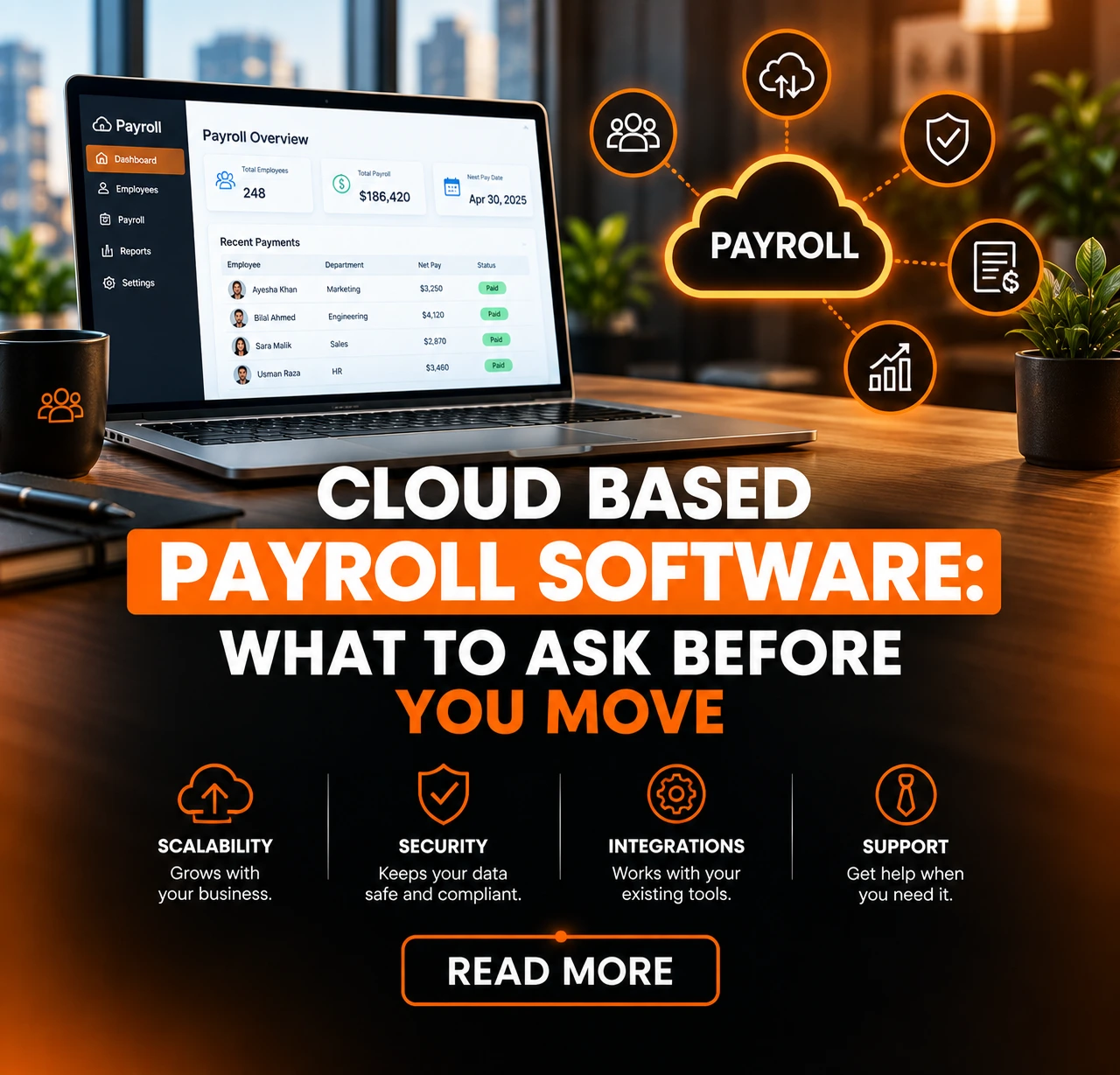
For most businesses below a few hundred staff, cloud based payroll software is now the sensible default. There is one condition that reverses it, and it is not the one people expect: if your pay rules are genuinely unusual — heavily negotiated union agreements, unusual allowance structures, calculations no vendor supports out of the box — then configurability matters more than deployment, and where the software runs becomes a secondary question.
The short version
- The real argument is who is responsible for the calculation being current when a rule changes — not access from anywhere.
- Hosted software and a payroll bureau are different purchases. Decide which one you are actually buying before you shortlist.
- Payroll has a deadline that cannot slip. Ask about maintenance windows and support hours around your pay date, in writing.
- Hosting means fewer people with server access — and a third party holding your most sensitive data. Both are true.
- Most payroll errors enter when attendance and leave are re-keyed from another system.
- Run parallel for at least one cycle. Skipping it is the most common regret in a payroll cutover.
What "cloud payroll" means, and the fork before it
Cloud based payroll software means the vendor hosts the application and, critically, maintains it — including the parts of it that calculate statutory deductions. You log in, your data sits on their infrastructure, and updates arrive without anyone at your end installing anything.
That is not the same thing as outsourcing payroll, and the two get conflated constantly. A payroll bureau is a service: you send them the inputs each month and they produce the payslips and the filings.
Cloud payroll software is a tool: your team still runs the payroll, on somebody else’s servers. Both are legitimate and they suit different situations, but they are different purchases with different costs and different points of failure.
Decide which one you are shopping for before you look at anything, because the shortlist is different.
If what you actually want is for payroll to stop being your problem, you are looking for payroll services for small companies and you should say so in the first conversation. If you want to keep control and stop maintaining software, you are looking for a hosted product.
The vocabulary is unhelpfully varied. Cloud payroll software, payroll cloud, hosted payroll and software-as-a-service payroll are all the same idea, and vendors use them interchangeably.
Payroll processing software is a slightly older term that usually means the same thing again. None of this signals a difference in capability, so treat the names as noise and ask what the vendor actually operates and maintains.
Statutory updates: the argument that actually matters
Here is the question that separates the two deployment models, and almost nobody asks it in a demo.
When a statutory rule changes, who is responsible for your payroll calculating the new one — and how would you know if it had not?
With an installed package the answer is you. Somebody has to notice the change, obtain the update, test it, and apply it before the next run. That works for exactly as long as the person who understands it is still employed and still has time.
The failure mode is not dramatic: payroll keeps running and keeps producing plausible numbers, calculated on a rule that lapsed. It is usually discovered by an auditor, or by an employee who checked.
With cloud based payroll software that responsibility sits with the vendor, and it is most of what the subscription buys. This is worth being precise about rather than taking on trust.
Ask how statutory changes reach the product, how quickly, whether you are notified when a calculation changes, and whether there is a record of what changed and when. A vendor who cannot answer that has not thought about it, which is itself the answer.
Two things this article deliberately does not do: it quotes no tax rates, contribution thresholds or statutory percentages, and it names no filing deadlines. Those change, and a figure published here would eventually be wrong while still looking authoritative.
Take the current position from the relevant revenue authority or your own advisor — and expect a payroll vendor to do the same rather than quoting numbers at you from a brochure.
Last reviewed: September 2026
This article describes how responsibility for statutory calculations is divided, not what any current rule says. Rules change; the division of responsibility does not. If you are reading this long after the date above, the reasoning still holds — the figures you need were never here to go stale.
Confidentiality, which cuts both ways
Payroll holds the most sensitive data most businesses have. Every salary, every bonus, every deduction, every bank account. It deserves a straight assessment rather than a security claim.
The case for hosting. On a server in your own office, the people with access are everyone who administers that server — which in a small business is often more people, and less formally, than anyone intends. IT staff who need access to the machine end up with access to the file.
A hosted system replaces that with named user accounts, role-based permissions and an audit trail of who opened what, which is a genuinely stronger position than a spreadsheet on a shared drive or a database anybody with server credentials can read.
The case against. A third party now holds it. That is a real transfer of risk and it should be evaluated rather than waved away: where is the data stored, who at the vendor can access it and under what controls, what happens to it if you leave, and what the contract says about breach notification. Ask for answers in writing before signing, not afterwards.
What we will not do here is claim that cloud based payroll software is secure. Security is a property of controls and operations, not of deployment model, and any vendor telling you their cloud is safe because it is a cloud is selling rather than explaining.
What is fair to say is that hosting changes who holds the risk and makes access far easier to control and to evidence.
The deadline that cannot slip
Payroll is unlike every other business system in one respect: the deadline is immovable. An invoice can go out a day late. Payroll cannot.
That single fact should shape how you evaluate cloud based payroll software, and it is the part most evaluations skip entirely.
Ask when maintenance windows fall. A vendor who deploys updates on a fixed weekly schedule may be deploying straight through your pay run. Find out whether you can see the calendar and whether anything can be deferred.
Ask what support looks like on your pay date specifically, not in general. “Business hours” means something different when the run is at eight in the evening on the last working day. Get the escalation path and a response time in the contract.
Ask what happens if an update changes a calculation mid-cycle. The good answer involves notice, a record of what changed, and the ability to see the effect before it reaches payslips.
What matters below fifty staff
Search results for payroll software for small business are dominated by feature lists that assume you want everything. Below about fifty people, four things matter and the rest is noise.
How long a normal month takes. Not what the system can do — how many minutes an ordinary run costs someone. That is the number you are buying down.
What happens when someone joins or leaves mid-month. Proration is where small payrolls actually go wrong, and it is worth testing in a trial with a real example rather than reading about.
Whether you can produce a payslip and a statutory report without asking anybody. If either needs vendor support, that is a recurring dependency in a process that runs every month.
What it costs when you double. Per-employee pricing that is comfortable at thirty staff is a different proposition at sixty, and growth is presumably why you are buying.
An honest note that vendor content rarely includes: at the very low end, a spreadsheet is defensible. With a handful of salaried employees, stable pay, a disciplined checklist and someone competent doing it, a spreadsheet is not negligence.
It stops being defensible the moment variable pay enters — overtime, shift allowances, mid-month joiners — because that is when the calculation stops being repeatable and starts depending on someone remembering. If you are searching for a payroll system for small business because a month took a whole day, that threshold has already been crossed.
The terminology is as varied here as it is for hosting. Small company payroll software and a payroll program for small business describe the same products; the segment matters, the phrasing does not.
What breaks when payroll is separate from attendance
Most payroll errors are not calculation errors. They are input errors, and they enter at one specific point: the moment somebody copies figures from one system into another.
Look at what actually varies in a monthly run. Overtime hours. Unpaid leave. Late deductions. Shift and location allowances. Reimbursements. Not one of those originates in payroll. They are outputs of the attendance management system, the leave management system and, for claims, expense management software.
If those live somewhere payroll cannot read, then every month someone exports, reformats and re-enters them under deadline pressure — which is the single most reliable way to get a payslip wrong.
This is the real argument for cloud based hr and payroll software as one platform rather than two integrated products. It is not that a suite has better payroll features. It is that the handover disappears: approved overtime is already a value payroll can read, and nobody retypes anything.
Two honest caveats. A well-built integration between separate systems achieves the same thing, and if you already own good payroll that is often the cheaper path.
And a suite is only an advantage where the modules are genuinely shared — some vendors sell separately-built products under one brand, where the handover still exists and is simply invisible to you. Ask whether attendance and payroll read the same employee record, and if the answer takes more than a sentence, they do not.
Where they do, the effect on a monthly run is larger than any feature comparison suggests, which is the argument for human capital management software as a platform rather than a set of purchases.
What a payroll cutover actually involves
Moving payroll is not a data import. It is the one migration where being wrong is visible to every employee on the same day.
Year-to-date balances are the whole problem. Move mid-year and every cumulative figure has to arrive intact, because annual calculations depend on what was already paid and deducted. Getting the opening balances wrong produces errors that only surface at year end, by which point they are considerably harder to unpick.
Opening leave balances need the same care and are frequently forgotten, because they live in a different system and often in a different team’s spreadsheet.
Run parallel for at least one full cycle. Old system and new system, same period, both results compared line by line before anybody is paid from the new one.
It is duplicated effort for a month and it is the standard safeguard for a reason: a parallel run is the only thing that finds a discrepancy before an employee does.
Skipping the parallel run to save a month is the most common regret in a payroll cutover, and the reasoning behind it is always the same — the data looked clean and the timeline was tight. The data always looks clean. That is what makes the parallel run worth doing.
For the general case for hosted software, which applies here but is not specific to payroll, see cloud versus on-premise deployment and the same argument applied to inventory.
What is particular to payroll is everything above: rules that change under you, the most confidential data you hold, and a date that cannot move. Weighed together they are why payroll software is usually the first thing a growing business moves off an installed package.
Payroll is the module most businesses buy first and the one most exposed to what happens around it — attendance, leave, allowances and claims all arrive on the payslip. Keeping them on one employee record is what human capital management software is for.