What Is CRM Software? Types, Examples and What It Replaces
CRM is not really a piece of software you buy. It is a filing decision you have already made, usually badly.
Most businesses reading this are already running customer relationships somewhere: a mix of WhatsApp threads, one salesperson’s phone, and a spreadsheet only two people can open. That is a CRM. It is just a bad one, and the interesting question is not what the software is but when the current arrangement stops working.
The short version
- CRM stands for customer relationship management — one record of every interaction with a customer.
- There are three types of CRM: operational runs the work, analytical explains it, collaborative shares it.
- The real job is continuity: a customer history that does not leave when the salesperson does.
- Below roughly a few dozen live deals, a shared sheet genuinely wins — if someone maintains it.
- Most CRM rollouts fail because nobody agreed who owns a lead before the software arrived.
What CRM stands for
CRM stands for customer relationship management. A CRM system is the single place where every interaction with a customer or prospect is recorded, so that anyone in the business can see what has happened and what is supposed to happen next.
That is the whole definition. Everything else is detail about how well a particular tool does it.
What a CRM is actually used for
Four jobs, in rough order of how much they matter to a business that has not had one before.
Pipeline. Which deals are live, what stage each is at, and what they are worth. This is the part people picture when they think of CRM.
Follow-up. Who owes whom a reply, and by when. Unglamorous, and the single largest source of lost revenue in most small sales teams.
Handover. When someone is on leave, ill, or leaves the company, the relationship continues. This is the job a spreadsheet does worst.
History. What we quoted them in 2024, why they did not buy, what they complained about. Context that makes the next conversation better.
The three types of CRM
Vendors and textbooks split the category three ways. The types of CRM matter less as product boundaries than as a way of working out what a demo is actually showing you.
Most buyers only need the first of the three.
| Type | What it does | Who needs it |
|---|---|---|
| Operational CRM | Runs the daily work — contacts, pipeline, tasks, quotes, automation of routine steps | Almost everyone. This is what "a CRM" means in practice |
| Analytical CRM | Explains what happened — conversion by source, cycle length, churn patterns, forecasting | Teams with enough deal history for the numbers to mean something |
| Collaborative CRM | Shares the record across sales, service, delivery and finance | Businesses where the customer deals with more than one department |
If you are being sold on analytical features before you have an operational CRM anyone actually updates, the order is wrong. Analytics on incomplete data does not produce insight, it produces confident wrong answers.
In practice these types of CRM are not separate products any more. Most tools do some of all three, and the labels describe emphasis rather than hard category boundaries.
They are still worth knowing. A dashboard-heavy demo is selling you analytical CRM; the question to ask is how the data gets in there in the first place, and who is doing that work every day.
When you compare CRM examples from different vendors, the types of CRM they lead with tell you who they think the buyer is. Pipeline-first demos are aimed at a sales manager. Dashboard-first demos are aimed at whoever signs the cheque.
What CRM software looks like in practice
Rather than rank products — a list that is out of date the month it is published, and which we have an obvious interest in — here are the categories you will actually encounter.
Contact managers. Lightweight, cheap, often little more than a shared address book with reminders. Genuinely sufficient for a consultancy with thirty clients.
Sales-team pipeline tools. The mainstream. Deal stages, forecasting, activity tracking, email integration. This is what most CRM software examples in a search result will be.
CRM inside a business suite. The customer record sits alongside quotations, orders, invoices and stock, so a won deal becomes an order without re-keying.
Industry-specific systems. Property, healthcare, education. Worth looking at if your sales process has vocabulary a general tool cannot express.
The useful question when comparing CRM tools examples is not which has more features. It is which one your team will still be updating in six months.
Whichever of the types of CRM a product leans towards, that answer is the one that decides whether the purchase was worth making.
What a CRM is not
Three things get sold as CRM benefits that a CRM does not deliver on its own.
It is not a substitute for a sales process. If nobody has agreed what the stages mean, the software will faithfully record deals sitting in “negotiation” for eight months. A pipeline is a shared definition first and a screen second.
It is not a marketing platform. There is overlap, and many products do both, but sending campaigns and managing relationships are different jobs with different owners. Buying one to do the other usually satisfies neither.
It will not make anyone update it. Adoption comes from the system being genuinely faster than the alternative for the person entering the data — not from a policy. If your reps get nothing back from what they type in, they will stop typing.
That last point is the one worth dwelling on before any purchase. A CRM that only serves management is a reporting tax, and it will be abandoned quietly.
The signals you have outgrown a spreadsheet
Concrete, and you will recognise them immediately if they apply.
- A lead got followed up twice by two people, or not at all because each assumed the other had.
- A customer’s history left with the person who owned it. Somebody resigned and took the context with them.
- Nobody trusts the forecast. The number in the sheet and the number in the sales manager’s head are different, and the manager is usually right.
- You cannot answer “what happened to that enquiry?” without asking three people.
- The sheet has a version problem. Someone is working on a copy.
Two of these is a process problem. Four is a systems problem, and no amount of discipline will fix it.
When you do not need a CRM yet
This section exists because most articles on this question conclude that everyone needs one, which is not true and is easy to disprove.
Below a few dozen live deals, with one or two people selling, a shared sheet and the discipline to update it genuinely wins.
It is faster to change, it costs nothing, everybody already knows how to use it, and it will not be abandoned three months in.
What makes it stop working is not deal count on its own. It is the number of people who need the same answer. One person selling can hold context in their head. Three cannot share a head.
If you are below that line, the honest advice is to spend the budget on something else and revisit when a second salesperson joins.
The most common reason a rollout fails
Not the software. It is that nobody agreed who owns a lead before the system arrived — so two people update the same record differently, trust in the data collapses within a quarter, and everyone quietly returns to their own spreadsheet. Settle ownership rules first; they are free and they are the hard part.
What to sort out before you buy one
Four things, all free, all of which make the difference between a system that sticks and one that is quietly abandoned.
Decide who owns a lead. When two people could reasonably claim the same enquiry, what is the rule? Write it down. This is the single most common failure point and it has nothing to do with software.
Agree what your stages mean. Not the names — the entry criteria. What has to be true for a deal to move from “qualified” to “proposal”? Without that, your pipeline is a set of opinions.
Clean the contact data first. Importing four years of duplicated spreadsheet rows into a new system produces a new system full of duplicates, and first impressions decide adoption. De-duplicate before migration, not after.
Decide what you will stop doing. If the CRM is added on top of the existing spreadsheet rather than replacing it, people will maintain the spreadsheet, because that is the one they trust. Pick a date and retire it.
None of this requires a vendor conversation, and doing it well is worth more than the difference between any two products on your shortlist.
Where CRM sits inside a wider system
A CRM on its own stops at the moment the deal is won. Everything after that — the order, the delivery, the invoice, whether they actually paid — lives somewhere else.
For plenty of businesses that seam is fine. Somebody re-keys a won deal into the accounting package once a week and nobody minds.
It stops being fine when the sales team needs to know whether a customer is on credit hold, or when a quotation has to reflect stock you actually have. At that point the customer record and the operational record need to be the same record.
That is the argument for customer relationship management software that shares a platform with the rest of the business, rather than a better standalone tool. It is also where sales management software takes over — pipeline is one thing, territory and quota management is another.
Deployment — hosted or on your own servers — is a separate decision with its own trade-offs, and it is worth taking after you have settled the category question.
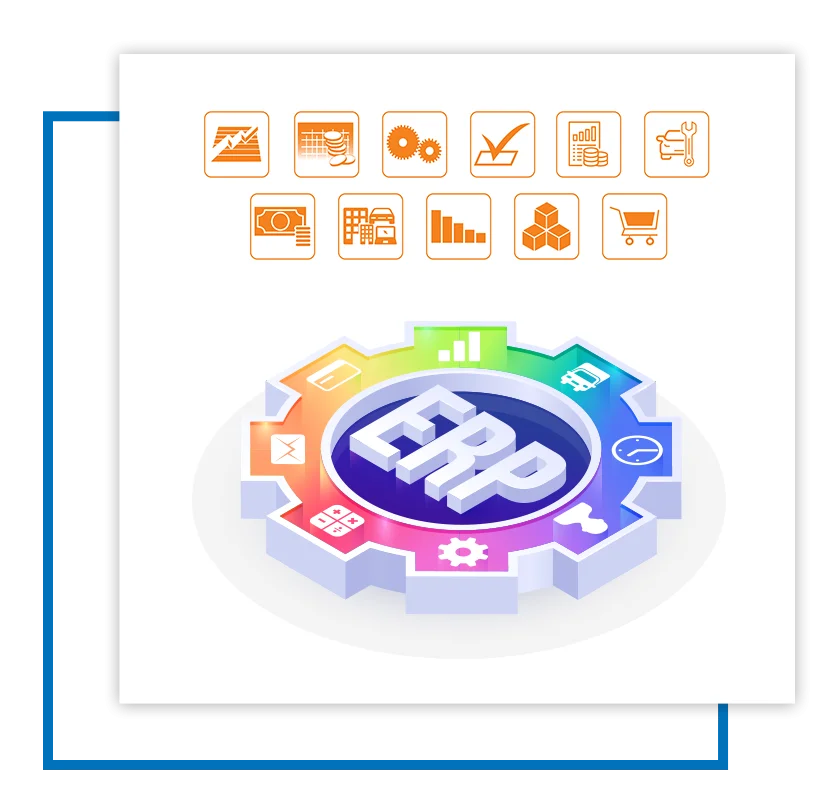
Once the customer record needs to know about stock, credit and delivery, the question stops being which CRM and starts being whether it shares a platform with everything else — which is what enterprise resource planning software is for.